> ✨ Featured Sponsor: [CodeRabbit](https://coderabbit.link/usememos) — Cut code review time & bugs in half, instantly.
# Memos
 Memos is an open-source, self-hosted note-taking app built for quick capture. It is Markdown-native, lightweight, and keeps your data under your control.
[](https://usememos.com)
[](https://demo.usememos.com/)
[](https://usememos.com/docs)
[](https://discord.gg/tfPJa4UmAv)
[](https://hub.docker.com/r/neosmemo/memos)
Memos is an open-source, self-hosted note-taking app built for quick capture. It is Markdown-native, lightweight, and keeps your data under your control.
[](https://usememos.com)
[](https://demo.usememos.com/)
[](https://usememos.com/docs)
[](https://discord.gg/tfPJa4UmAv)
[](https://hub.docker.com/r/neosmemo/memos)
 ## Features
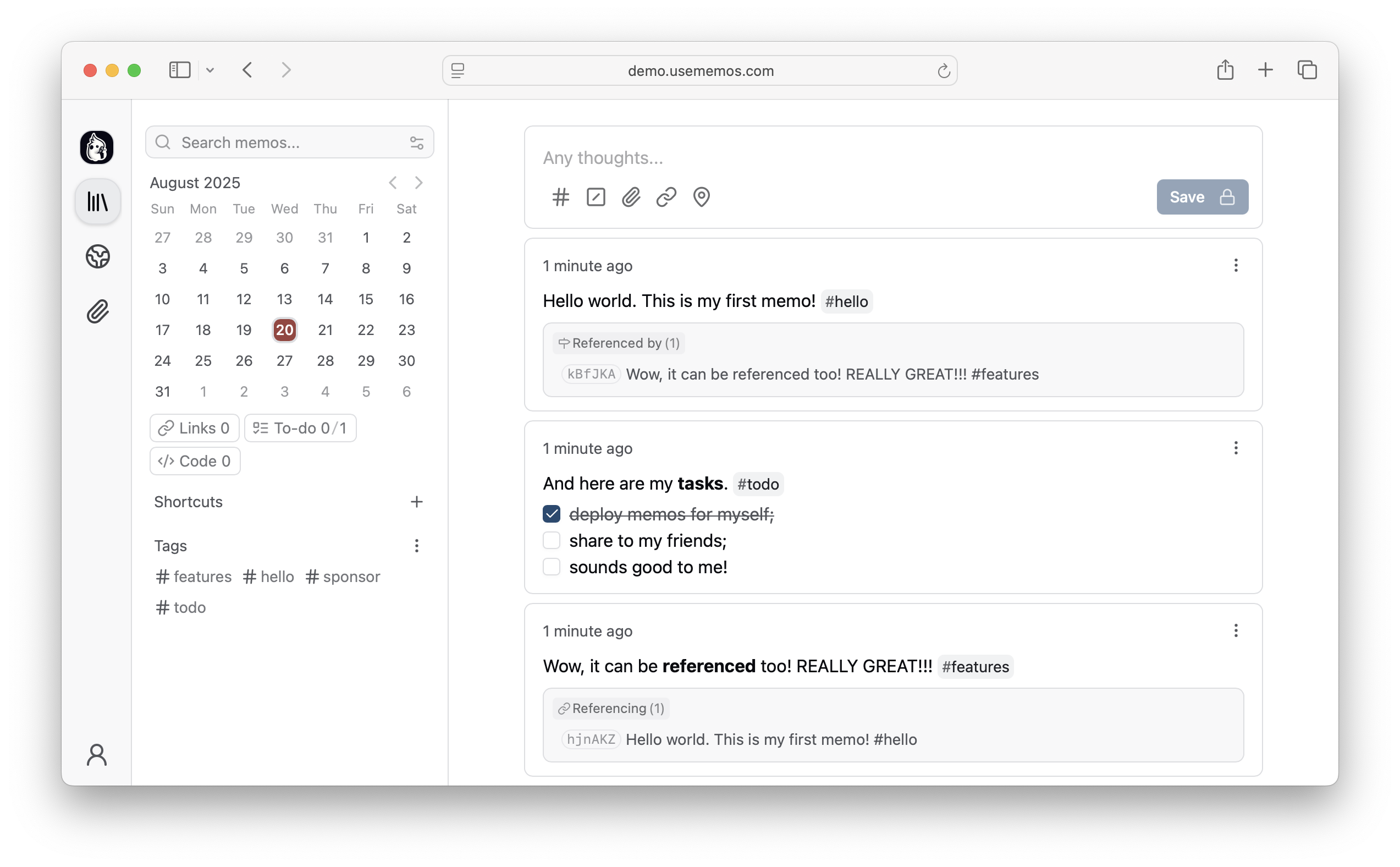
- **Capture quickly** — A timeline-first interface keeps note-taking simple: open, write, and move on.
- **Own your data** — Self-host Memos on your infrastructure with no telemetry.
- **Deploy anywhere** — Run a single Go binary or Docker container with SQLite, MySQL, or PostgreSQL.
- **Integrate freely** — Build on the REST and gRPC APIs or adapt the MIT-licensed source to your needs.
## Quick Start
Want to explore Memos first? Open the [live demo](https://demo.usememos.com/).
### Docker (Recommended)
```bash
docker run -d \
--name memos \
-p 5230:5230 \
-v ~/.memos:/var/opt/memos \
neosmemo/memos:stable
```
Open `http://localhost:5230` and start writing.
### Native Binary
```bash
curl -fsSL https://raw.githubusercontent.com/usememos/memos/main/scripts/install.sh | sh
```
### Other Installation Methods
- **Docker Compose** — Recommended for production deployments.
- **Kubernetes** — Helm charts and manifests are available.
- **Build from source** — Best for development and customization.
See the [deployment guide](https://usememos.com/docs/deploy) for detailed instructions.
## Web Clipper
Save pages, selected text, and images directly to your Memos instance with the official [Memos Web Clipper](https://github.com/usememos/web-clipper). The extension is available for [Chrome](https://chromewebstore.google.com/detail/memos-web-clipper/nebaoebnljalfegiidibihhkebeiklbl) and [Firefox](https://addons.mozilla.org/en-US/firefox/addon/memos-web-clipper/), and lets you review each clip, choose its visibility, and customize its Markdown format before saving.
## Contributing
Contributions of all kinds are welcome, including bug reports, feature suggestions, pull requests, documentation, and translations.
- [Report bugs](https://github.com/usememos/memos/issues/new?template=bug_report.md)
- [Suggest features](https://github.com/usememos/memos/issues/new?template=feature_request.md)
- [Submit pull requests](https://github.com/usememos/memos/pulls)
- [Improve documentation](https://github.com/usememos/dotcom)
- [Help with translations](https://github.com/usememos/memos/tree/main/web/src/locales)
## Sponsors
- [**CodeRabbit** — Cut code review time and bugs in half](https://coderabbit.link/usememos)
- [**SSD Nodes** — Affordable VPS hosting for self-hosters](https://ssdnodes.com/?utm_source=memos&utm_medium=sponsor)
Love Memos? [Sponsor us on GitHub](https://github.com/sponsors/usememos) to help keep the project growing!
## License
Memos is open-source software licensed under the [MIT License](LICENSE). See our [Privacy Policy](https://usememos.com/privacy) for details on data handling.
---
**[Website](https://usememos.com)** • **[Documentation](https://usememos.com/docs)** • **[Demo](https://demo.usememos.com/)** • **[Discord](https://discord.gg/tfPJa4UmAv)** • **[X/Twitter](https://x.com/usememos)**
## Features
- **Capture quickly** — A timeline-first interface keeps note-taking simple: open, write, and move on.
- **Own your data** — Self-host Memos on your infrastructure with no telemetry.
- **Deploy anywhere** — Run a single Go binary or Docker container with SQLite, MySQL, or PostgreSQL.
- **Integrate freely** — Build on the REST and gRPC APIs or adapt the MIT-licensed source to your needs.
## Quick Start
Want to explore Memos first? Open the [live demo](https://demo.usememos.com/).
### Docker (Recommended)
```bash
docker run -d \
--name memos \
-p 5230:5230 \
-v ~/.memos:/var/opt/memos \
neosmemo/memos:stable
```
Open `http://localhost:5230` and start writing.
### Native Binary
```bash
curl -fsSL https://raw.githubusercontent.com/usememos/memos/main/scripts/install.sh | sh
```
### Other Installation Methods
- **Docker Compose** — Recommended for production deployments.
- **Kubernetes** — Helm charts and manifests are available.
- **Build from source** — Best for development and customization.
See the [deployment guide](https://usememos.com/docs/deploy) for detailed instructions.
## Web Clipper
Save pages, selected text, and images directly to your Memos instance with the official [Memos Web Clipper](https://github.com/usememos/web-clipper). The extension is available for [Chrome](https://chromewebstore.google.com/detail/memos-web-clipper/nebaoebnljalfegiidibihhkebeiklbl) and [Firefox](https://addons.mozilla.org/en-US/firefox/addon/memos-web-clipper/), and lets you review each clip, choose its visibility, and customize its Markdown format before saving.
## Contributing
Contributions of all kinds are welcome, including bug reports, feature suggestions, pull requests, documentation, and translations.
- [Report bugs](https://github.com/usememos/memos/issues/new?template=bug_report.md)
- [Suggest features](https://github.com/usememos/memos/issues/new?template=feature_request.md)
- [Submit pull requests](https://github.com/usememos/memos/pulls)
- [Improve documentation](https://github.com/usememos/dotcom)
- [Help with translations](https://github.com/usememos/memos/tree/main/web/src/locales)
## Sponsors
- [**CodeRabbit** — Cut code review time and bugs in half](https://coderabbit.link/usememos)
- [**SSD Nodes** — Affordable VPS hosting for self-hosters](https://ssdnodes.com/?utm_source=memos&utm_medium=sponsor)
Love Memos? [Sponsor us on GitHub](https://github.com/sponsors/usememos) to help keep the project growing!
## License
Memos is open-source software licensed under the [MIT License](LICENSE). See our [Privacy Policy](https://usememos.com/privacy) for details on data handling.
---
**[Website](https://usememos.com)** • **[Documentation](https://usememos.com/docs)** • **[Demo](https://demo.usememos.com/)** • **[Discord](https://discord.gg/tfPJa4UmAv)** • **[X/Twitter](https://x.com/usememos)**